
How to Search Cases by Name
The statewide entry point is the Nebraska JUSTICE One-Time Court Case Search. It reaches criminal, civil, traffic, juvenile, and probate matters in both county and district courts. Search for a party, not a witness. Run the name by itself first. Narrow the search only if the results pass the limit. You must accept the terms before the docket search runs, and the portal states plainly that a no-result search still draws the charge.
- Gather the likely party spelling and decide whether County Court or District Court is the likely route for the Burt County matter.
- Open the one-time search, read its service notice, accept the terms, and begin with the party name.
- When more than 30 matches appear, add a county, case type, year, judge, attorney, or birth-date criterion only when it is appropriate for the search.
- Select the matching caption and case ID, then read the separate case detail, party listing, costs, payments, and Register of Actions views.
- Save the case ID and contact the correct Burt County clerk or use the public terminal if the result needs local confirmation.
Birth date appears as a narrowing field. It is optional. The best first pass is the least detailed search that still tells your case apart from similar names.
Burt County Case Lookup Paths
Burt County Court and the Nebraska District Court for Burt County sit in JUSTICE as separate databases. The case type and its stage put a case in one or the other. It does not turn on where an event happened or which office wrote the ticket. County Court takes traffic, misdemeanors, municipal ordinances, small claims, probate, juvenile matters, and preliminary felony hearings. District Court is different. It gets felony trial matters after bind-over, larger civil cases, domestic relations, and other general-jurisdiction work.
| Search field | Type | Required | Burt County use |
|---|---|---|---|
| Party name | Text | Yes for name search | Search a party, not a witness. |
| Court type | Selection | Required for routing | Choose County Court or District Court as the case requires. |
| County | Criterion | Optional in general description | Use Burt with another search criterion when narrowing. |
| Case type or year | Criterion | Optional | Useful when a name produces too many matches. |
| Terms and Begin Search | Checkbox and button | Yes | The one-time portal requires acceptance before access. |
How to Search by Case Number
A case number routes a search when the name is common. Official material uses the district example D93 CI-14-0000019. The first letter marks District Court. The number marks the county, the type code marks the case class, the two-digit year marks the filing year, and the trailing digits run in sequence. County Court uses a C indicator; District Court uses a D indicator. Take the ID straight from the live court record instead of guessing Burt's county number.
Common type clues at the state level are CI for civil, CR for criminal, PR for probate, TR for traffic, JV for juvenile, and SC for small claims. The code points you down the right route. It does not promise any particular screen format. A citation is not the filed court case number. Citations can carry up to two letters plus seven numerals, and they never replace the case ID for a docket search.
Burt County Case Search Ceiling
The one-time JUSTICE service lists a $17 charge per search. It caps results at 30 matching cases. Once the search completes, access to the case details lasts three calendar days. Have the spelling, court level, and narrowing details ready before you press Begin Search. An empty result does not undo the transaction charge. The official one-time search landing screen spells out the terms, the result ceiling, the lag, and the payment conditions.
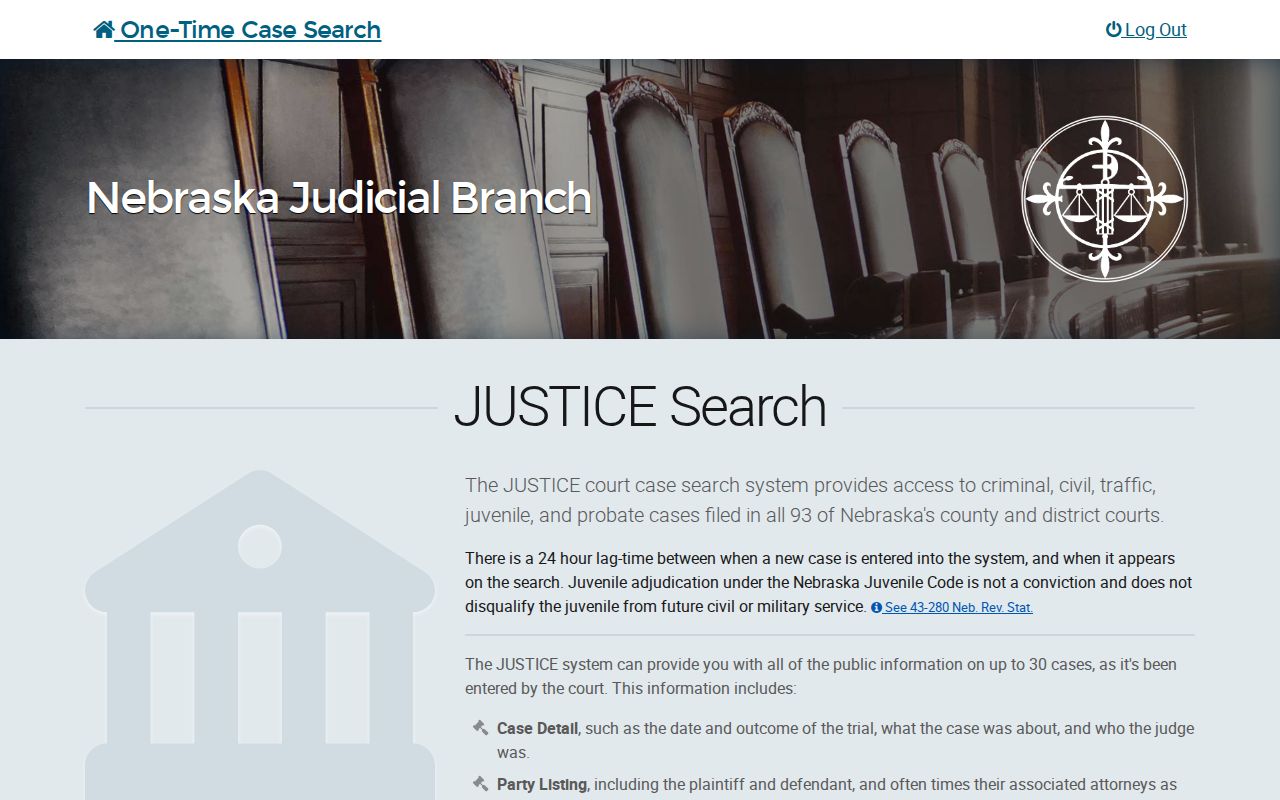
That landing page sells access. It does not certify that the returned docket list is complete through any particular date.
What a Case Search Shows
A matching result does not hand you every record at once. JUSTICE keeps its layers apart. It separates the case header and party list from the chronological Register of Actions. It also holds any available document image separately. A filing entry may show that an order or pleading exists. The document itself may not be in view. Images filed or uploaded after April 16, 2008 may be available. Older material may take a trip to the courthouse or a paper-file inquiry.
| Case Detail | Summary information that can include the case date, outcome, subject, judge, and related details. |
|---|---|
| Party Listing | The listed plaintiff, defendant, petitioner, respondent, and often attorneys. |
| Register of Actions | The chronological docket of filings and court actions, with an image when available. |
| Court Cost Information | Fees associated with the case; it is not a transcript or proof of allegations. |
| Payments | Payments by or to the court, separate from the final legal record. |
| Document image | An available image linked from a docket entry, not every document in every case. |
For a copy or a certification, go to the clerk who holds the file. The search result locates the case. It is not a certified court conclusion.
Burt County Case Number Clues
The court letter and case-type code keep a docket search in the right system. A traffic case marked TR ordinarily runs through the County Court path. An enhanced DUI or other felony-level traffic case may need the District Court path instead. A county-court preliminary hearing can later bind a felony over to District Court. A no-result in one court database proves little. It does not show the matter has no Burt County record. Check the other level before concluding anything.
- Caption
- The title or style of the action shown in the case header.
- Case type
- The broad classification, such as civil, criminal, probate, traffic, juvenile, or small claims.
- Register of Actions
- The chronological local term for the docket of filed documents and court actions.
- Bind-over
- The move of a felony matter from County Court's preliminary stage to District Court.
Read the case ID next to the caption and the newest Register entry. The code is a search aid, not a replacement for those record details.
County vs Statewide Case Search
The statewide service is the remote public layer over both Burt trial-court databases. No separate Burt-only case-search URL exists in the official source set. The courthouse terminal opens the electronic court record to the public during office hours. A paid subscriber account serves recurring statewide use. Its list of possible matches is free. The current subscriber notice still charges $2 to open one case detail. Neither route is attorney eFiling. Keep them straight.
| Channel | What it does | Important limit |
|---|---|---|
| JUSTICE one-time search | Remote paid search of county and district cases. | $17 per search, 30-case limit, and three-day result access. |
| Subscriber search | Recurring access by name, case number, and judgment date. | Individual case detail has a current $2 charge. |
| Burt courthouse terminal | Public electronic record access at the court that holds the case. | Local District Clerk practice directs visitors to operate the terminal. |
| eFiling | Filing, eService, and eNotice for court users with the required access. | It is not a public party-name search. |
The Judicial Branch case-information page separates the available access methods.
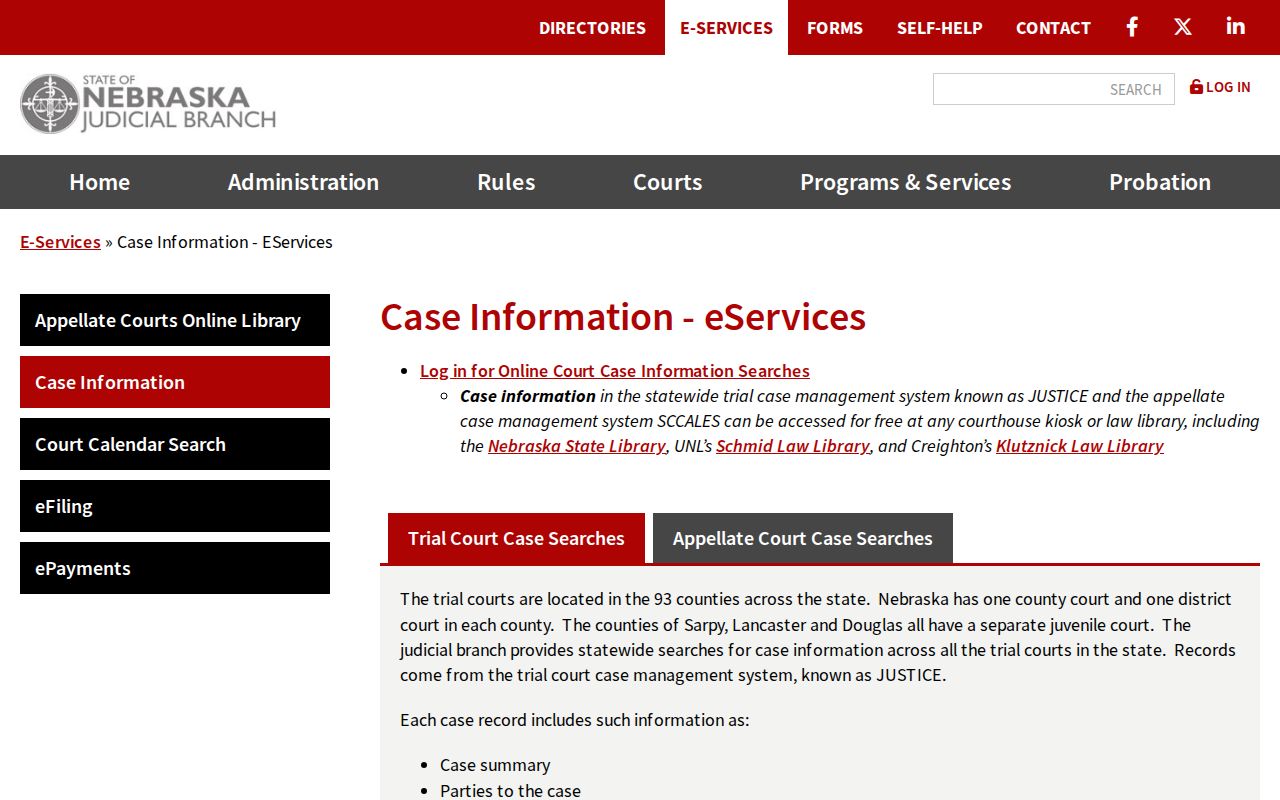
These service options route a known court case without turning a filing login into a public lookup tool. The official subscriber account page identifies recurring access.
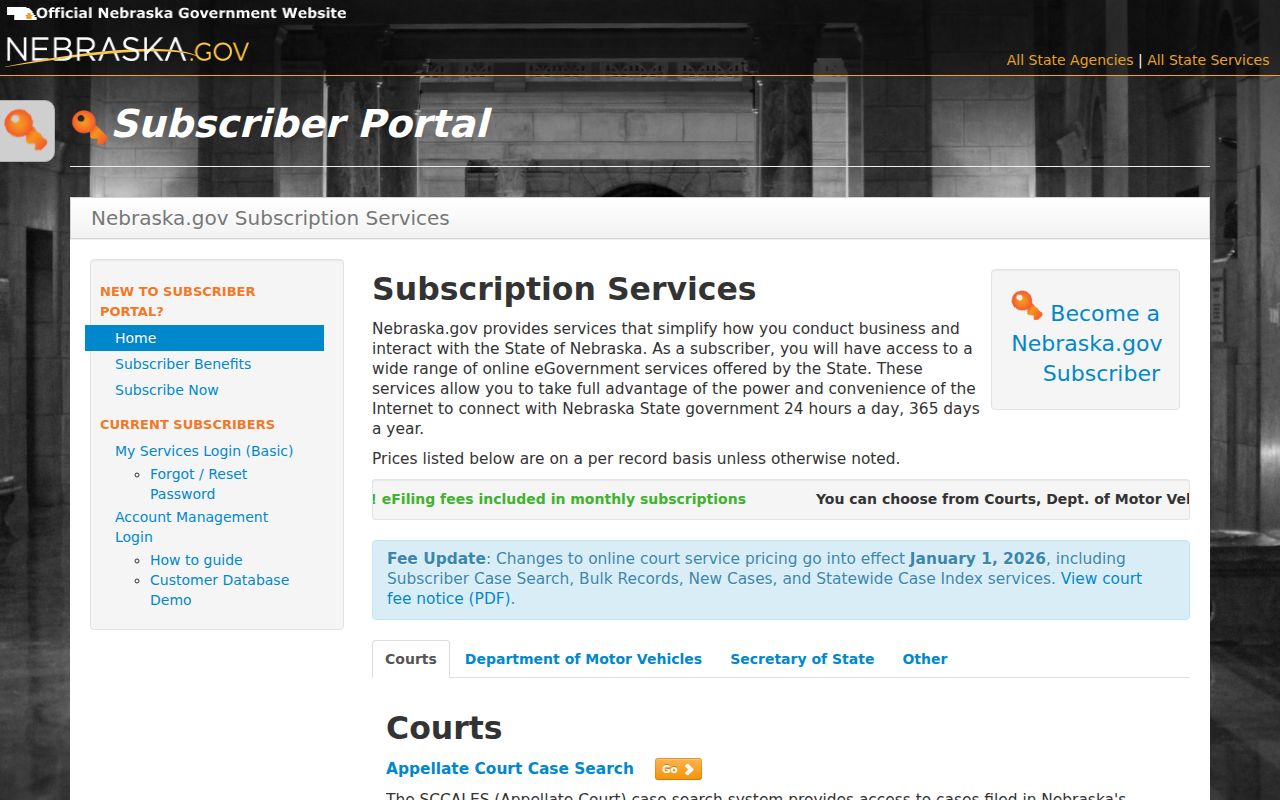
Review it before opening case detail.
Burt County Case Search Timing
New filings take time to appear. Expect a lag of about 24 hours behind the public one-time search, and give a very recent Burt County case up to a week before asking the State Court Administrator for help. When an older matter will not show up, the cause could be the wrong court, a restriction, a paper or image gap, or another record problem. Neither JUSTICE nor the calendar certifies that a system is complete through any stated date. Server errors happen too. If an internal server error interrupts your search, wait 10 to 15 minutes and try again. Technical questions about Nebraska.gov go to JUSTICE technical support or 800-747-8177. A discrepancy inside one case belongs with Burt County Court or Burt District Court instead.
Restricted Cases and Access Rules
Nebraska's public-access rules open a wide door. Party indexes, case summaries, Registers of Actions, calendars, and judgment or order summaries are all public. A law, rule, or order can say otherwise. Juvenile matters and sealed records carry extra limits. So a public match can still show an incomplete image set or a restricted layer. Read a result with the record category in mind, rather than treating it as proof that every file component is open for remote viewing. The state rules also treat remote authorized-provider access and courthouse-terminal access as separate methods. Under the court records search policy, formal written requests for compiled court information go to the State Court Administrator. A particular file or certified copy is a job for the local clerk.
Burt County Case Search Support
The courthouse is the fallback when a remote result falls short. Burt County Court sits in Suite 9 and answers at 402-374-2950. The District Clerk is in Suite 11 at 402-374-2905. Bring the complete party name, plus the case year and type if you know them. State policy lets an employee search a specific record with those details. But the local District Clerk page states that its staff do not run searches for the requestor, which leaves the public terminal as the practical route. Statewide County Court Information Specialists can be reached at 888-342-6395. The clerk's office posts no Burt docket-search form, dropbox, or general email search service. Mailing or faxing a non-attorney filing is a filing rule rather than a clerk search service. Appellate cases live on SCCALES and federal cases on PACER/CM-ECF. So neither replaces the Burt County or District Court JUSTICE search. The Nebraska eFiling login is its own credentialed workflow. Keep the two functions apart.
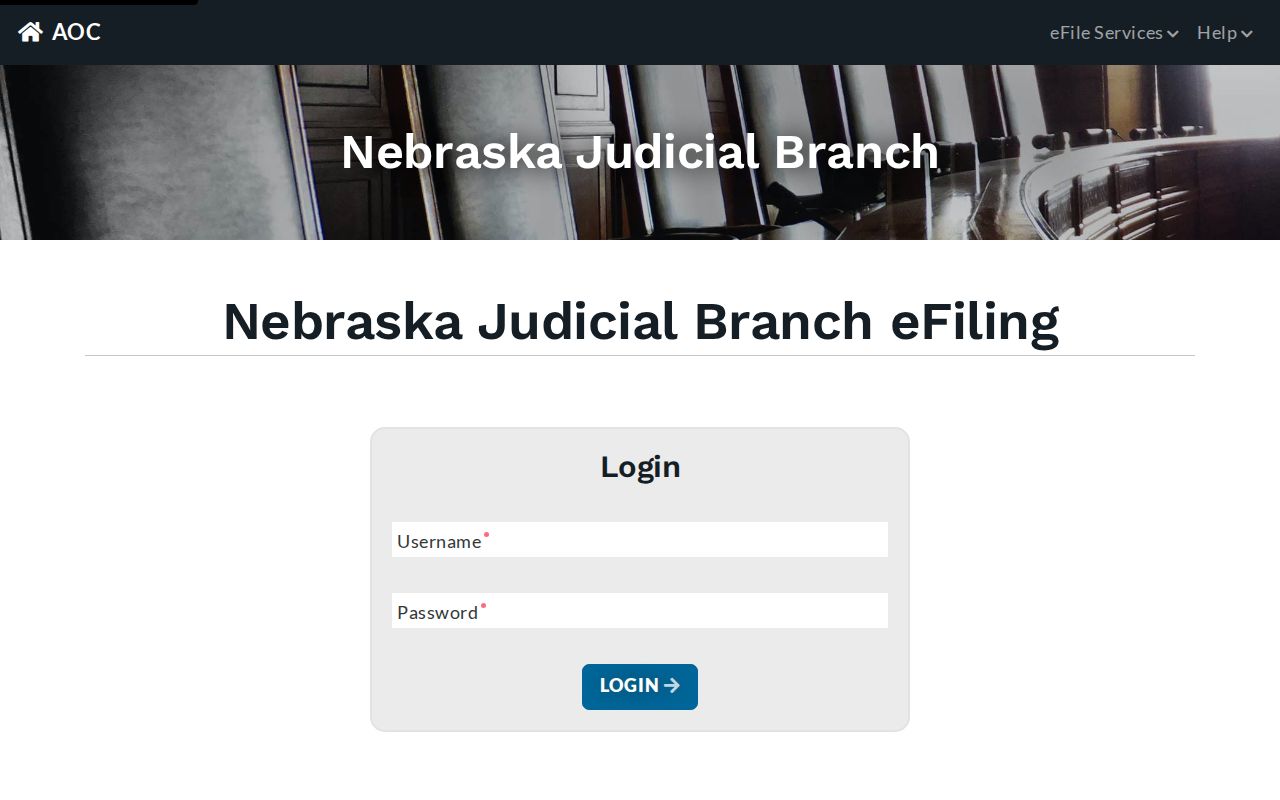
Two doors, one login screen: the login screen itself makes plain that electronic filing and a public case search do different jobs.